Garmin · iPhone setup
Connect Garmin to State AI
Your Garmin data reaches State AI through Apple Health. Connect both apps on the same iPhone.
Garmin Connect → Apple Health → State AI
Start the setupStep 1
Open Garmin Connect settings
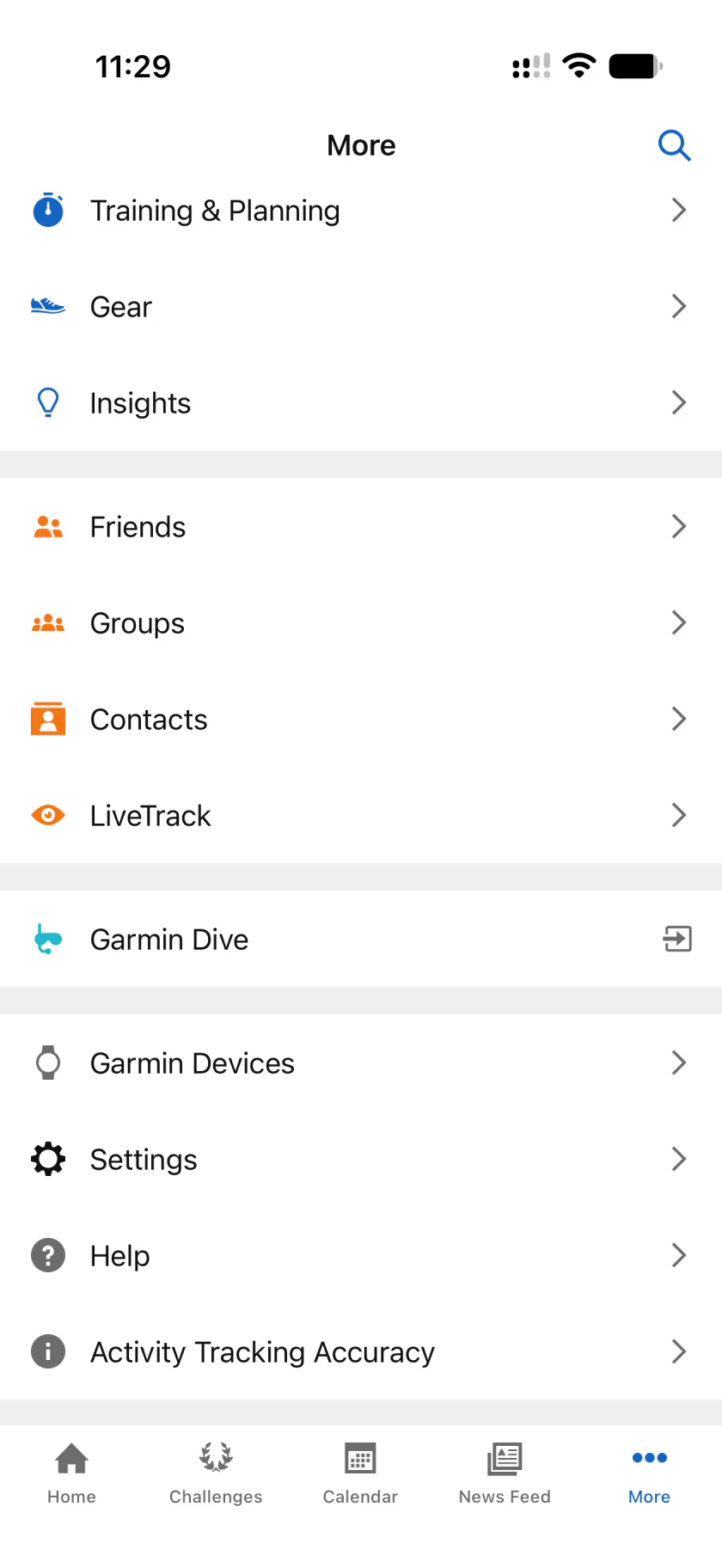
On your iPhone, open Garmin Connect. Tap More (the three dots at the bottom right), scroll down, then tap Settings.
Step 2
Open Connected Apps
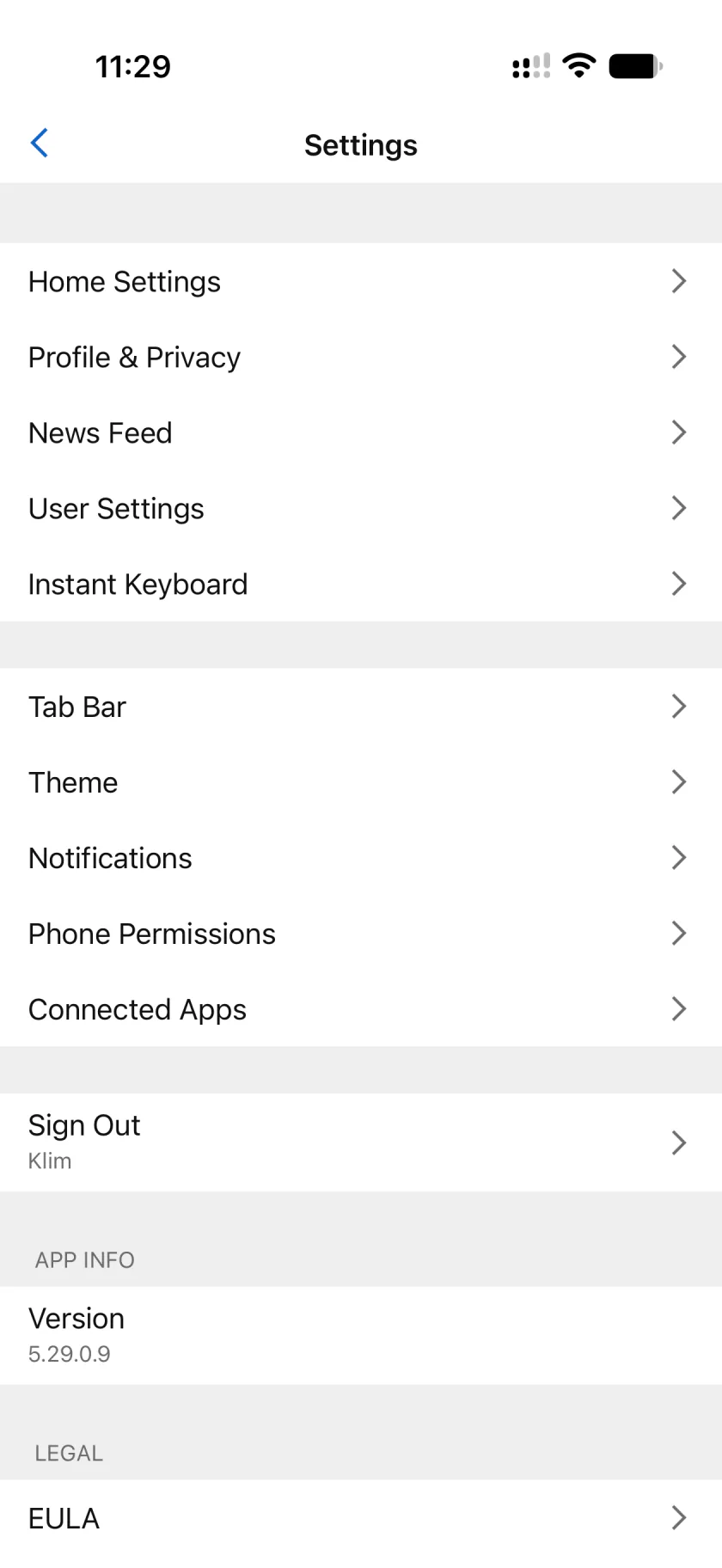
In Settings, scroll down and tap Connected Apps.
Step 3
Choose Apple Health
Tap Apple Health in the list of connected apps.

Step 4
Choose what Garmin shares
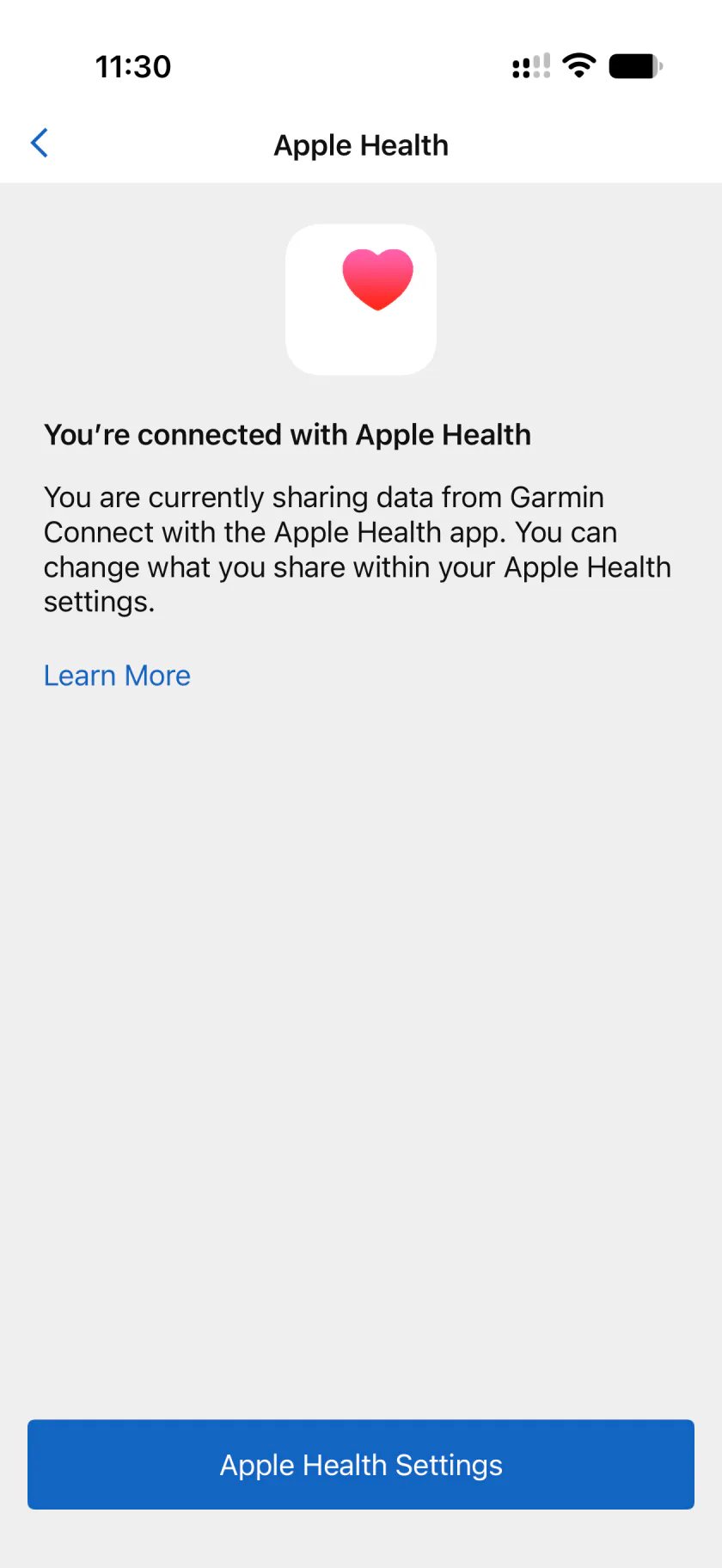
Tap Connect with Apple Health. Turn on the categories you want to share, then confirm access.
Already connected, as in this screenshot? Tap Apple Health Settings to change what you share.
Step 5
Connect Apple Health in State AI
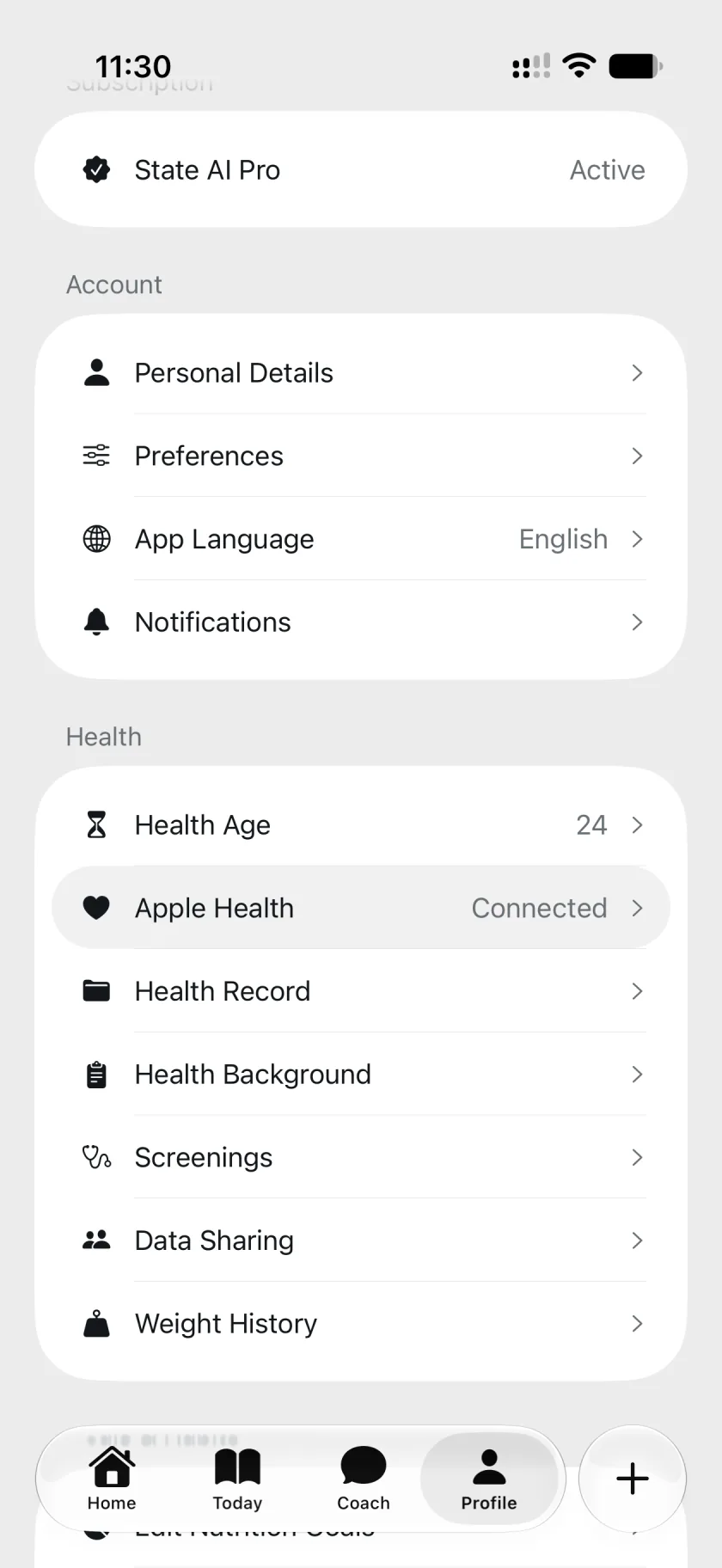
Open State AI, go to Profile, and tap Apple Health. Tap Connect Apple Health and allow access to the data you want to use. If it is already connected, you can skip this step.
Ready to sync
Sync your watch in Garmin Connect, then open State AI. State AI can use the data Garmin shares with Apple Health and you allow it to read.

Give it a week of your data
See what it notices
Free to start. No account needed2
- State AI is a wellness product, not a medical device. The board, the plan, and the daily scores are estimates built from consumer sensors and the information you enter. They are not a diagnosis and are not intended to diagnose, treat, cure, or prevent any disease. Heart rhythm, sleep apnea, and ECG notifications come from Apple's own cleared features on your device, not from State AI, which only displays what your device reports.
- State AI is free to download, and your first reading costs nothing. Pro is an auto-renewing subscription, monthly or yearly, with a 3-day free trial for new subscribers. Payment is charged to your Apple Account at confirmation of purchase, and the subscription renews unless auto-renew is turned off at least 24 hours before the current period ends. Manage or cancel it any time in your Apple Account settings.
State AI does not provide medical advice. Always seek the advice of a physician or other qualified health provider with any question about a medical condition, and never disregard professional medical advice or delay seeking it because of something you read here. If you think you may have a medical emergency, call your local emergency number. Apple, Apple Watch, Apple Health, and iPhone are trademarks of Apple Inc., registered in the U.S. and other countries.