Family health sharing
Stay close to your parents' health, wherever you live
With their permission, you can see the health picture they build in State AI — without being able to change anything in their account.
About 5 minutes

Before you start
Start with two accounts
Download State AI and register your own account. Ask your parent to install the app and register a separate account too.
Step 2 · On your parent's phone
Open the sharing settings
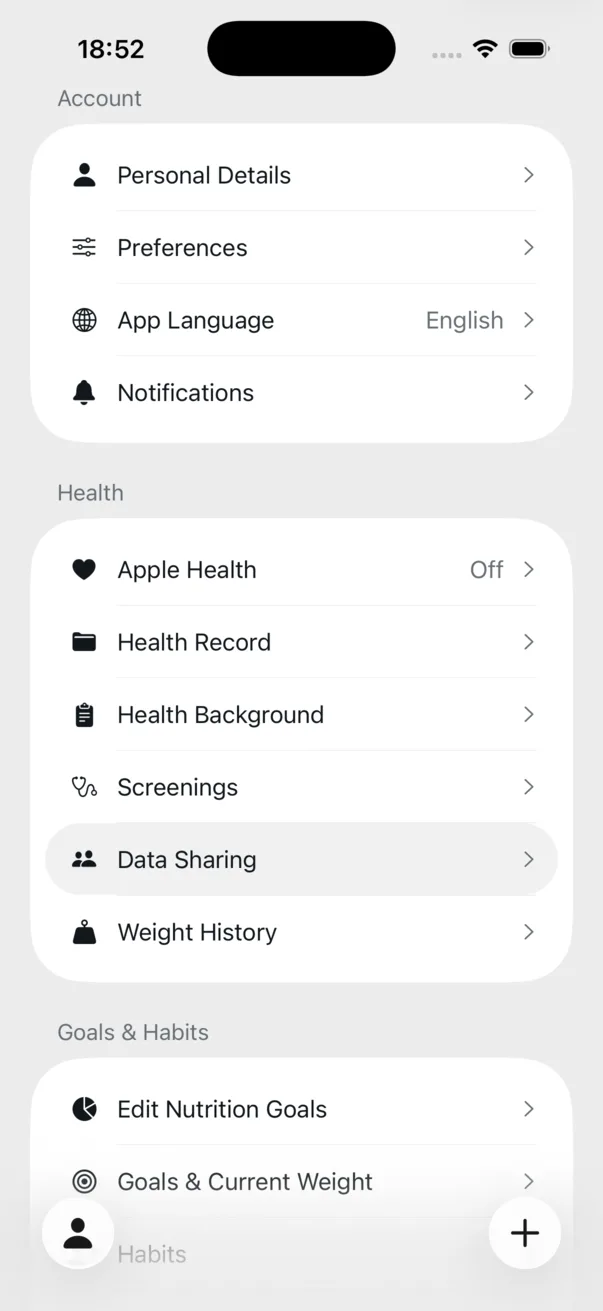
On your parent's phone, open Profile and tap Data Sharing This is where they control who can see their health data.
Step 3 · On your parent's phone
Send an invitation
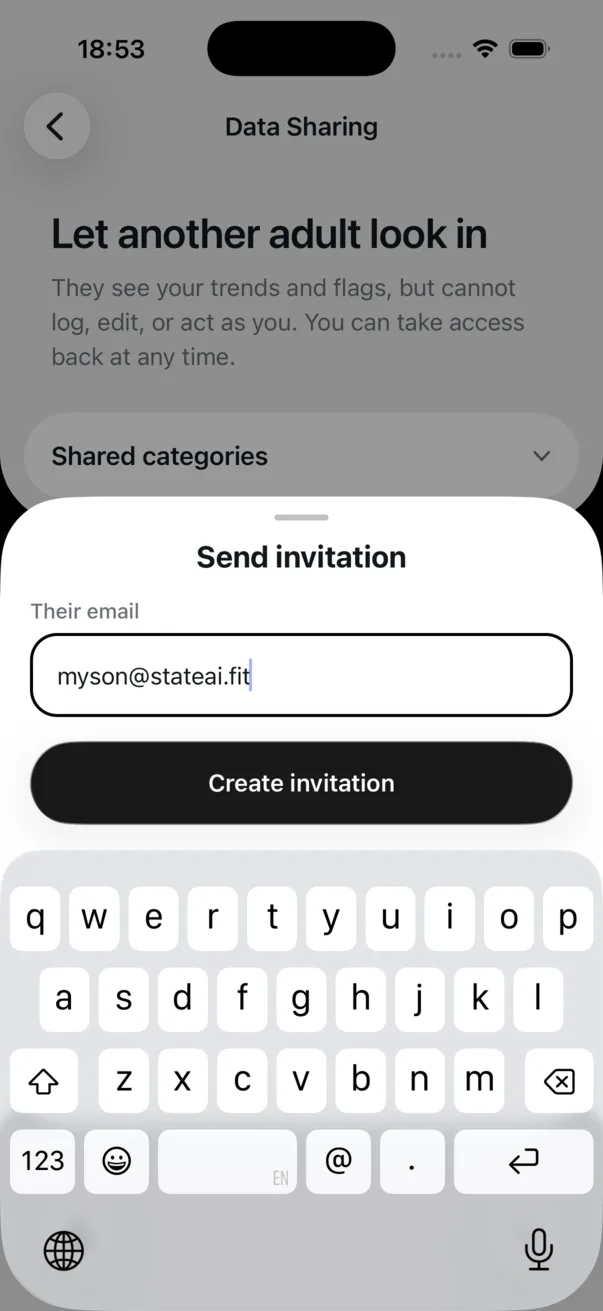
Tap Create invitation, enter the email address used for your State AI account, then choose Share invitation.
The link can only be accepted once, by an account signed in with that email address.
Step 4 · On your phone
Approve access
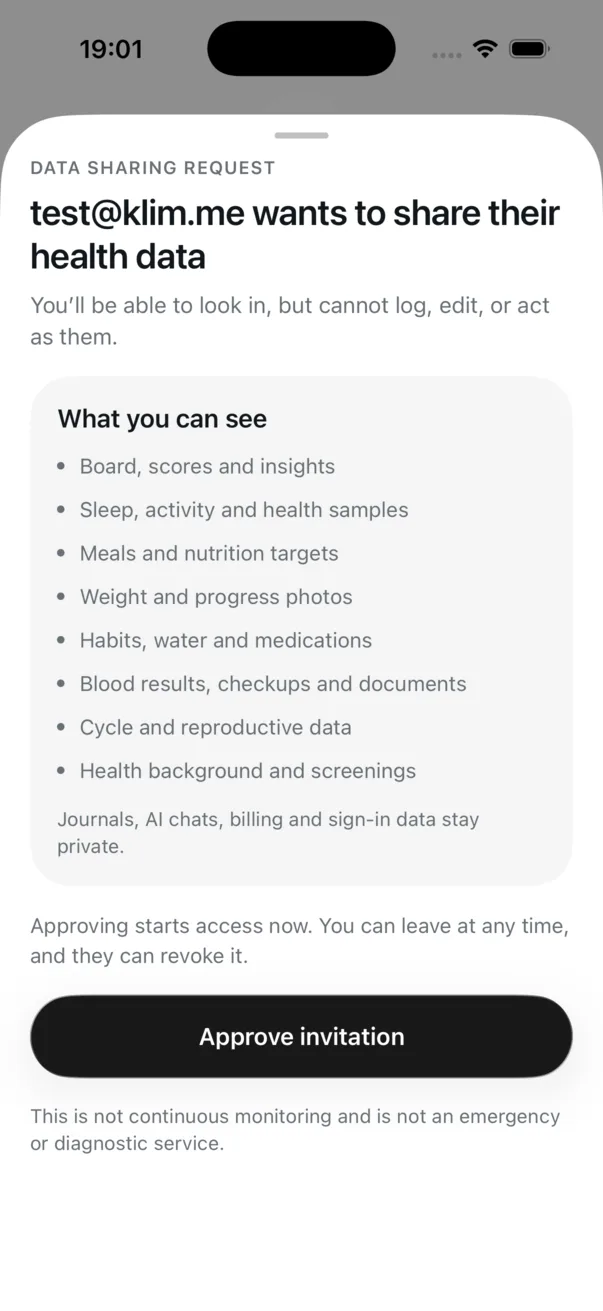
Sign in with your account. In Profile, open the sharing request, review the data, and tap Approve invitation.
Step 5 · On your phone
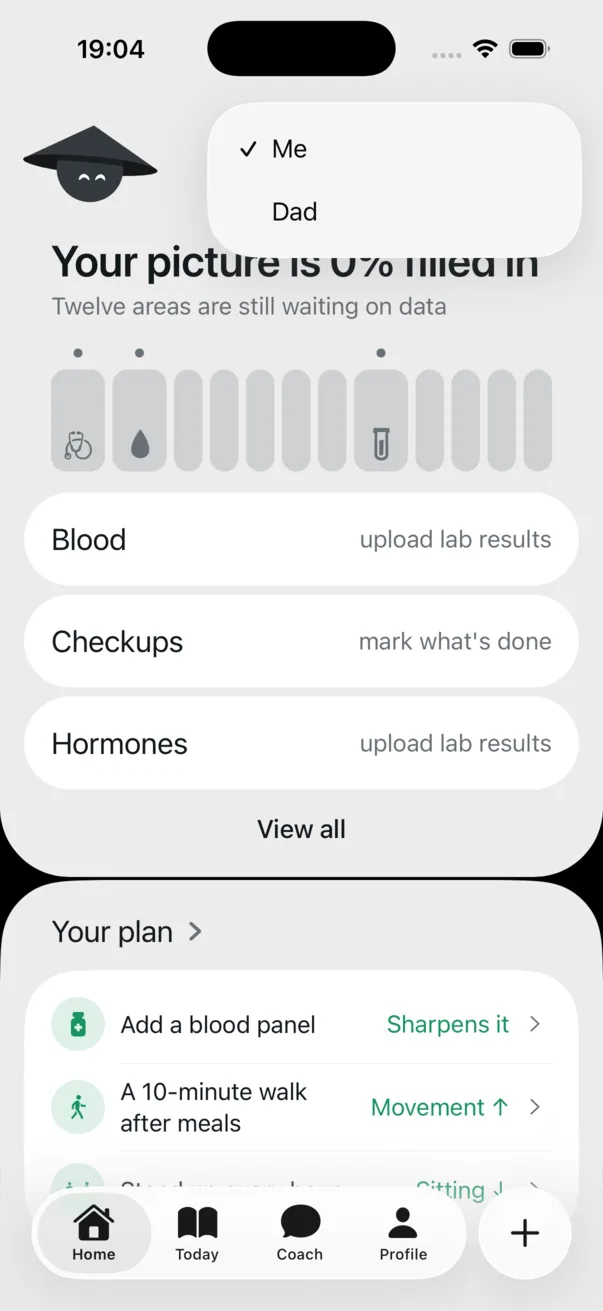
Switch profiles
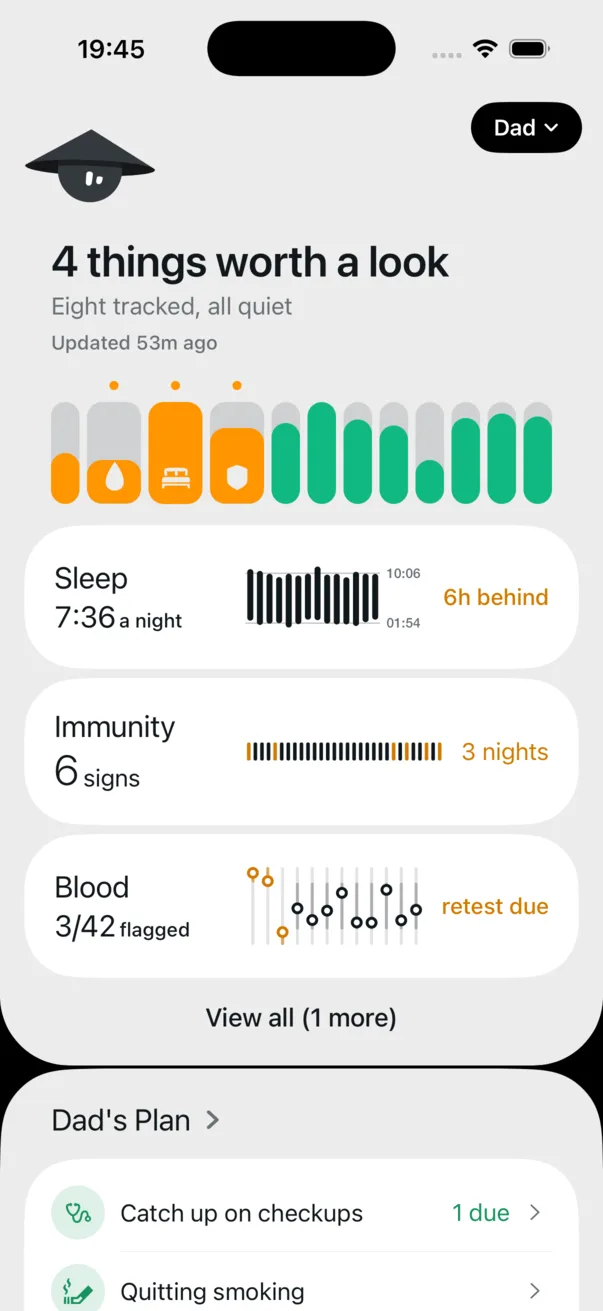
A profile switcher now appears in the top-right corner of Home. Tap it and choose your parent's name.
The shared view is read-only. You cannot add, edit, or delete anything on their behalf.
Privacy
Your parent stays in control
Sharing is designed for calm, ongoing awareness — not surveillance or emergency monitoring.
- Only the categories shown in the invitation are shared.
- You receive view-only access.
- Your parent can revoke access at any time.
- State AI is not an emergency or diagnostic service.

That's it — you're connected
You can now check in on the same health picture your parent sees, even when you're in different countries.
Free to start. No account needed2